



AU NZ

Events, photo walks, talks from the masters, in-depth workshops. Expand your horizons with one of our many events across Australia.

Explore Sony’s Digital Imaging line-up, an ever-expanding range of cameras, lenses and accessories that have been developed to meet a diverse range of creative needs and technical requirements.

Events, photo walks, talks from the masters, in-depth workshops. Expand your horizons with one of our many events across Australia.

Explore Sony’s Digital Imaging line-up, an ever-expanding range of cameras, lenses and accessories that have been developed to meet a diverse range of creative needs and technical requirements.

AU NZ
Master Colour, Tone, Masking & Editing Workflows in Lightroom's Develop

About the event

Scene Festival • Online Coaching Session • Talk Sony • WIN A TRIP TO JAPAN

Join Sony Advocate Jay Evans for an online coaching session covering the complete Lightroom editing journey, from managing your growing digital library, through to editing and publishing your images across mobile and desktop.

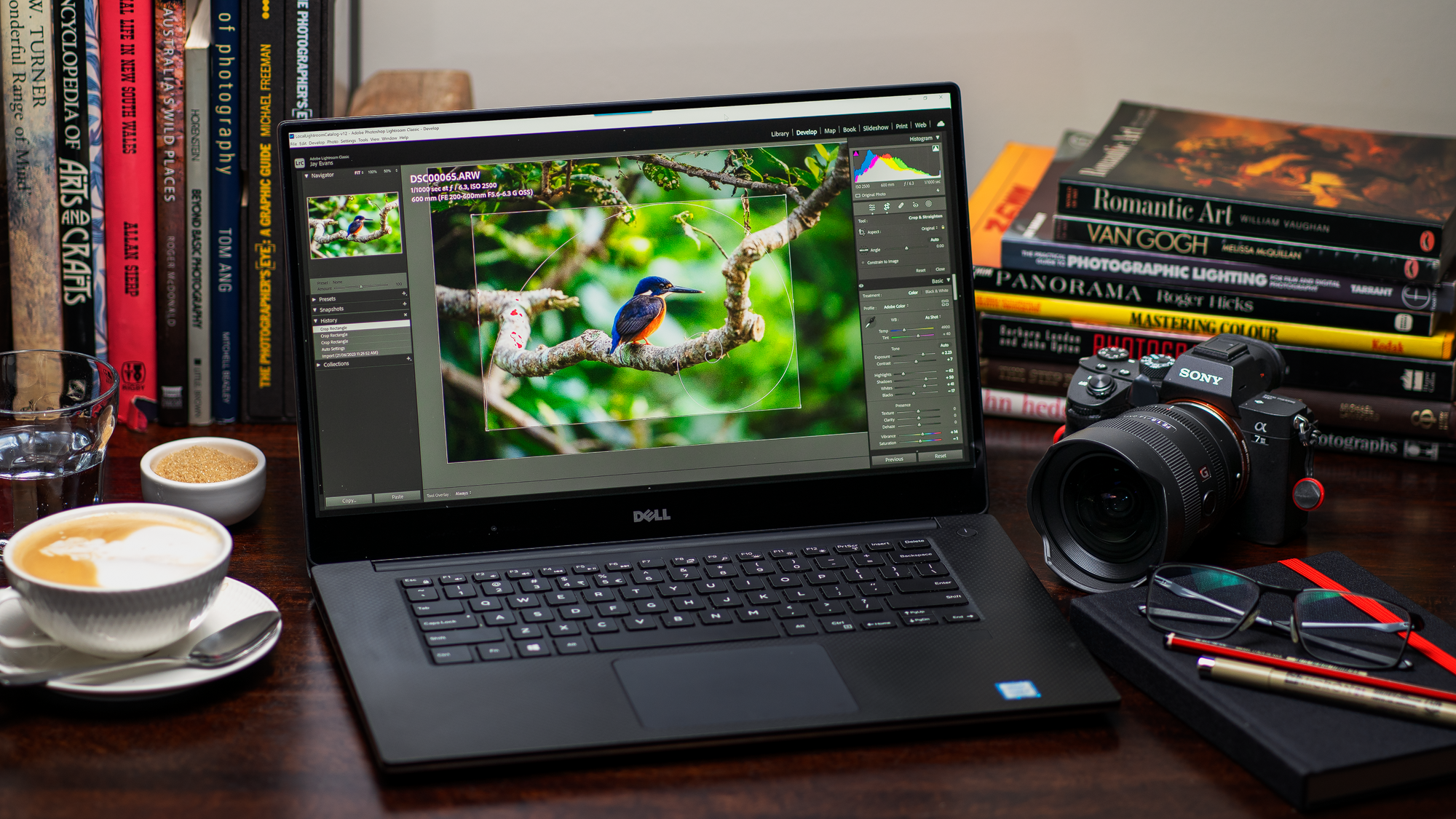
This session follows your images through the variety of editing applications in the Adobe Creative Suite, from Lightroom Mobile for quick on-the-go edits, to the ever-more-powerful Lightroom, and the favoured Lightroom Classic. We'll work through professional editing techniques across the suite of apps, demonstrating the tools that take your images from the camera, through the editing process, to finished imagery ready for social media, your website, or print.

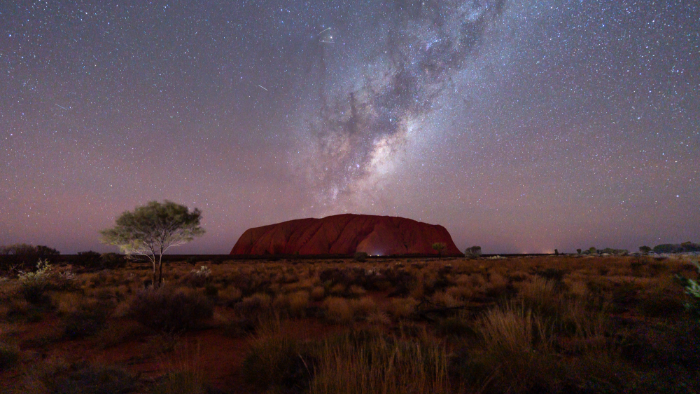
Great editing starts with vision. Whether you're chasing vivid landscapes, striking portraits, starry night skies, or candid lifestyle moments, this session looks at how to bring your creative intent to life in the Develop module, sculpting colour, tonality and mood to turn a raw capture into a finished, deliverable piece that reflects what you saw and felt in the moment.

Whatever your photography focus, hobbyist, weekend landscaper, or working professional, you'll leave with a complete editing workflow, from the moment you press the shutter to the moment you publish.

This is an online session, hosted via Microsoft Teams.


πŸ“ Why Join This Session?

  • πŸŽ›οΈ Master the Develop Module's full toolset, from basic adjustments to advanced fine-tuning
  • 🌈 Learn to sculpt tone, colour and mood across your images
  • 🎭 Use AI masking and selective adjustments with confidence
  • βœ‚οΈ Strengthen composition and cropping to tell a stronger visual story
  • ⚑ Build efficient, repeatable editing workflows with presets and synced edits
  • 🎟️ Free entry into the Sony Scene Festival prize draw

πŸ† Attend & Win a Trip to Tokyo & Kyoto

As this event is part of Sony's Scene Festival, for every ticket you purchase, you will receive one entry into the draw for a chance to win the ultimate Scene experience in Tokyo & Kyoto!

Your attendance must be recorded for your entry into the draw to be validated.


πŸ—“ Event Details

πŸ“… Date: Thursday 11th September

πŸ•‘ Time: 6:30 PM – 9:30 PM

πŸ’» Format: Online, hosted via Microsoft Teams

πŸ”— Teams Meeting Link: Will be sent with your event booking

πŸ’² Cost: FREE

πŸ“· Skill Level: All experience levels welcome

⚠️ Important: Registrations are essential. Your Teams meeting details will be sent ahead of the session. Please check your Sony Scene inbox in the lead-up to the event for any updates.


πŸ™‹ Who Should Attend?

  • Photographers at any skill level wanting to understand the tools and techniques available in Adobe Lightroom's Develop module
  • Enthusiasts looking to enhance their imagery through proven editing workflows, tips and tricks
  • Professionals aiming to develop faster, more consistent editing workflows to elevate images ready for publication
  • Landscape, portrait, astro and lifestyle photographers wanting to bring a stronger creative vision to their edits
  • Anyone wanting to move from basic adjustments to confident, professional-level colour, tone and masking work

βœ… What's Included

πŸŽ“ Live Interactive Instruction – Jay is a highly experienced online instructor who will guide you through the Develop module and professional editing techniques, addressing your questions as we go

πŸ› οΈ Hands-On Exercises – Apply your learning immediately, gaining practical experience with editing tools and workflows during the session

πŸ“ˆ Proven Techniques – Acquire tried-and-true techniques from an industry expert to sharpen your editing eye, strengthen your workflow, and publish with confidence


πŸ’» Joining via Microsoft Teams

This session will be held online using Microsoft Teams. You don't need an Office 365 account to join. Simply download the free Microsoft Teams client from microsoft.com/en-au/microsoft-teams/free. You don't need a webcam or microphone to attend, but a supported computer or device with working audio (speakers, headphones, etc.) is essential.


πŸ“· Come Prepared with Adobe Lightroom & Sony Creators App

During the session, we'll focus on editing within Adobe Lightroom Classic, alongside Lightroom Mobile and the Sony Creators' App. To get the most from this coaching session, we recommend having the latest version of Lightroom Classic or Lightroom installed on a PC or Mac you can reference throughout.

You can download a free 7-day trial via the Adobe website at adobe.com/au/products/photoshop-lightroom.html. The free trial requires a credit card to subscribe to a monthly plan. We recommend the Photography plan at AUD $23.99/month, which can be cancelled at no charge before your 7-day trial expires.

To take advantage of the mobile workflows we will demonstrate, install and configure the Sony Creators App and Adobe Lightroom Mobile from the Apple App Store or Google Play Store.


🎁 Extras & Ongoing Learning

Discounts on Future Sony Scene Events - All attendees will receive discounts valid across my upcoming Sony Scene sessions throughout 2027.

Book a Photography 1:1 - Attendees will also receive access to discounted booking opportunities for 1:1 sessions, tailored to your photography and camera, with direct, personalised guidance.


πŸ’» Join Us Online

Come and build a complete editing workflow - from vision and inspiration through to the Develop module's full toolset, finishing touches, and efficient delivery - with hands-on guidance from a Sony Digital Imaging Advocate.

πŸ“Έ Envision. Edit. Publish.

πŸ”— Registrations are essential - secure your place and join us online on 11th September.

We look forward to seeing you on Microsoft Teams!

Techniques covered

  • πŸ“š Introduction to Lightroom Classic - Learn the difference between Lightroom products, the nuances of Mac and PC versions, the benefits of non-destructive editing, and the importance of good curation practices in your digital photography
  • πŸ’‘ Vision and Inspiration - Whether you prefer vivid landscapes, striking portraits, starry night skies or captivating scenes, we look at developing your vision for your images from capture to editing, preparing you with the inspiration to unleash your creativity and achieve the results you're seeking
  • πŸŽ›οΈ Master the Develop Module - Delve into the heart of image enhancement with in-depth guidance on the toolsets in the Develop module, from basic adjustments to intricate fine-tuning, learning how to manipulate every aspect of your RAW photos
  • 🎨 Art of Editing - Transform ordinary captures into stunning images. Discover the secrets of professional photo editing workflows as we unravel techniques for cleaning your images, applying corrections, selective adjustments, and creative effects
  • πŸ–ΌοΈ Visual Interest through Composition and Cropping - Apply principles of powerful composition using simple cropping techniques to develop the narrative and draw focus in your images, telling the story and unveiling your vision
  • 🌈 Understanding Tone & Colour - Master the variety of tone and colour adjustment tools including Contrast, Texture, Dehaze, Clarity, Tone Curve, HSL, and Grading to sculpt colour, light and shadow. From gentle enhancements to dramatic stylisations, learn how to develop mood and atmosphere in your photographs
  • 🎭 Mask like a Pro - Effortlessly utilise the power of AI masking tools alongside localised adjustments with the adjustment brush, linear and radial gradients, and the exceptional colour and luminance range tools to apply your artistic imagination
  • ✨ Perfecting the Final Touch - Your journey doesn't end with the edit, it continues with showcasing your work to the world. We'll guide you through finishing techniques to add presence for online publishing or printing, optimal export settings for purpose, and workflows to save or post your images in the highest quality and impact they deserve
  • ⚑ Develop Efficient Workflows - When you need to deliver, time is of the essence. We'll show you how to streamline your editing process, organise your catalog, create and utilise presets, and apply synchronised edits across multiple images, maximising efficiency without compromising quality
  • πŸ’¬ Live Questions & Personal Guidance - Bring your own editing and workflow questions for direct discussion throughout the session

What to bring

  • πŸ’» A computer with the latest version of Adobe Lightroom Classic installed
  • πŸ“± Your phone with the Sony Creators' App and Adobe Lightroom Mobile installed
  • πŸ–₯️ A second screen, tablet, or other device to view the session and on-screen tutorials via Microsoft Teams (beneficial, not essential)
  • πŸŽ™οΈ Webcam and microphone if you'd like to join the conversation (not required, but helpful)
  • πŸ“ Your note-taking device of choice (pen & paper welcome)
  • πŸ’‘ An interest in building a stronger, more confident editing workflow

Event FAQs (For general FAQs, please visit the Frequently Asked Questions page)

Fri 11 Sep 2026, 6:30PM - 9:30PM (UTC+10) Canberra, Melbourne, Sydney
Suitable for all levels
Event capacity: 50
FREE    Book now
Online meeting details will be emailed to you with the booking confirmation.
WIN A LUXURY HOTEL STAY IN MELBOURNE!

WIN A LUXURY HOTEL STAY IN MELBOURNE!

Purchase a ticket between 27 July - 31 August for a chance to take your SceneScape experience to the next level with a 5-star hotel stay plus dinner for two!

Already purchased a ticket between 27 July and 19 August 2026? You’re automatically entered into the draw.

And the more tickets you have, the more chances you have to win — so invite a friend to SceneScape and make a weekend of it!

Advocate

Jay Evans

Jay Evans is a Nature, Landscape, and Astro Photographer based in the Blue Mountains of New South Wales. His work captures the raw character of Australia's wild...

Read more

Jay Evans hosted a very comprehensive and informative session on Lightroom Classic, which was easy to follow and understand.”

Alan Coligado, Adobe Lightroom Classic Develop Deep Dive - Unleash Your Creative Flow
A Gentoo penguin at Damoy Point, Antractica
GOVETTS LEAP SUNBURST

Jay has a wealth of Knowledge and experience and I learn something new every time I attend one of his workshops.”

Karen Moffatt-mcleod, Adobe Photoshop 101 - Infinite Imagination & Creativity
Event capacity: 50
Book now