








AU NZ

Events, photo walks, talks from the masters, in-depth workshops. Expand your horizons with one of our many events across Australia.

Explore Sony’s Digital Imaging line-up, an ever-expanding range of cameras, lenses and accessories that have been developed to meet a diverse range of creative needs and technical requirements.

Events, photo walks, talks from the masters, in-depth workshops. Expand your horizons with one of our many events across Australia.

Explore Sony’s Digital Imaging line-up, an ever-expanding range of cameras, lenses and accessories that have been developed to meet a diverse range of creative needs and technical requirements.

AU NZ
Master Your Lightroom Library, Catalog & Sony Creators App Mobile Workflow

About the event

Scene Festival • Online Coaching Session • Talk Sony • WIN A TRIP TO JAPAN

Join Sony Advocate Jay Evans for an online coaching sessions covering the complete Lightroom journey, from managing your growing digital library, through to editing and publishing your images across mobile and desktop.

This session follows your images through the full Sony ecosystem, from camera, to the Sony Creators' App, into Adobe Lightroom Mobile, and finally through to Lightroom Classic, while also building a stronger foundation in Digital Asset Management: your Lightroom Catalog, the Library module, and how to curate your photo library with success in mind.

Storing, managing and cataloguing your images well is what makes the "keepers" easy to find later. This process, known as Digital Asset Management, is what separates a true Workflow from a Workslow. Alongside this, you'll learn how to transfer, edit and publish images efficiently - whether you're working from your desktop at home or entirely on location.

Whatever your photography focus - hobbyist, weekend landscaper, or working professional, you'll leave with a complete Lightroom workflow, from the moment you press the shutter to the moment you publish.

This is an online session, hosted via Microsoft Teams.


📍 Why Join This Session?

  • 💾 Master Digital Asset Management using Adobe Lightroom Classic
  • 📡 Understand the connected workflow between camera, Sony Creators' App, Lightroom Mobile and Lightroom Classic
  • 🗂️ Learn professional catalog, collection and folder management strategies
  • 🎨 Build stronger editing skills across streetscapes, landscapes and portraits
  • 🛡️ Protect your work with proven backup and resiliency strategies
  • 🎟️ Free entry into the Sony Scene Festival prize draw

🏆 Attend & Win a Trip to Tokyo & Kyoto

As this event is part of Sony's Scene Festival, for every ticket you purchase, you will receive one entry into the draw for a chance to win the ultimate Scene experience in Tokyo & Kyoto!

Your attendance must be recorded for your entry into the draw to be validated.


🗓 Event Details

📅 Date: Thursday 10th September

🕡 Time: 6:30 PM - 9:30 PM

💻 Format: Online, hosted via Microsoft Teams

🔗 Teams Meeting Link: Will be sent with you event booking

💲 Cost: FREE

📷 Skill Level: All experience levels welcome

⚠️ Important: Registrations are essential. Your Teams meeting details will be sent ahead of the session. Please check your Sony Scene inbox in the lead-up to the event for any updates.


🙋 Who Should Attend?

  • Photographers at any skill level seeking an organised, accessible photo library
  • Enthusiasts looking to optimise their cataloguing and editing workflow for improved efficiency
  • Professionals aiming to maintain a structured, well-organised photography workflow across mobile and desktop
  • Creatives seeking to master the Library Module and editing tools for effortless organisation and publishing
  • Sony Alpha shooters wanting to understand the full journey of their files, from camera to finished image

✅ What's Included

🎓 Live Interactive Instruction – Jay is a highly experienced online instructor who will guide you through cataloguing, editing and workflow management, addressing your questions as we go

🛠️ Hands-On Exercises – Apply your learning immediately, gaining practical experience with Digital Asset Management and editing during the session

📈 Proven Techniques – Acquire tried-and-true techniques from an industry expert to streamline your DAM process, strengthen your editing workflow, and sharpen your organisation skills


💻 Joining via Microsoft Teams

This session will be held online using Microsoft Teams. You don't need an Office 365 account to join. Simply download the free Microsoft Teams client from microsoft.com/en-au/microsoft-teams/free. You don't need a webcam or microphone to attend, but a supported computer or device with working audio (speakers, headphones, etc.) is essential.


📷 Come Prepared with Adobe Lightroom & Sony Creators App

During the session, we'll focus on the industry-leading Digital Asset Management and editing tool, Adobe Lightroom Classic, alongside Lightroom Mobile and the Sony Creators' App. To get the most from this coaching session, we recommend having the latest version of Lightroom Classic or Lightroom installed on a PC or Mac you can reference throughout.

You can download a free 7-day trial via the Adobe website at adobe.com/au/products/photoshop-lightroom.html. The free trial requires a credit card to subscribe to a monthly plan. We recommend the Photography plan at AUD $23.99/month, which can be cancelled at no charge before your 7-day trial expires.

To take advantage of the mobile workflows we will demonstrate, install and configure the Sony Creators App and Adobe Lightroom Mobile from the Apple App Store or Google Play Store.


🎁 Extras & Ongoing Learning

Discounts on Future Sony Scene Events - All attendees will receive discounts valid across my upcoming Sony Scene sessions throughout 2027.

Book a Photography 1:1 - Attendees will also receive access to discounted booking opportunities for 1:1 sessions, tailored to your photography and camera, with direct, personalised guidance.


💻 Join Us Online

Come and build a complete Lightroom workflow - from your Lightroom catalog structure, through editing and mobile workflow, to backup and long-term resiliency - with hands-on guidance from a Sony Digital Imaging Advocate.

📸 Organise. Edit. Publish.

🔗 Registrations are essential - secure your place and join us online on 10th September.

We look forward to seeing you on Microsoft Teams!

Techniques covered

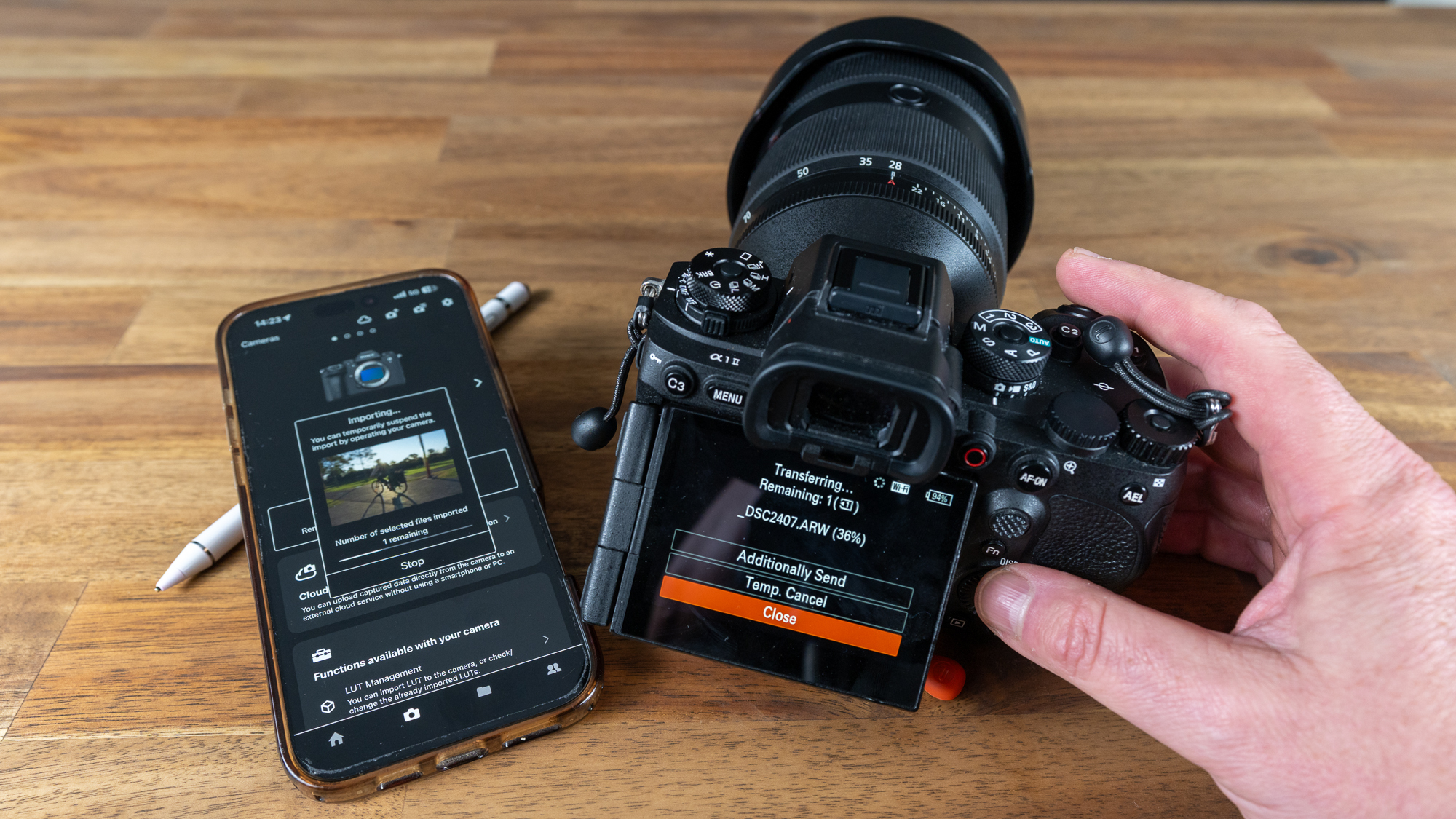
  • 📡 From Camera to Cloud - Transfer Sony files efficiently using the Sony Creators' App, and understand when to hand off to mobile versus desktop editing
  • 📱 Lightroom Mobile Editing - Fast, practical workflows for selecting, editing and preparing images for sharing while still in the field
  • 🔗 Mobile-to-Desktop Continuity - How images move from Lightroom Mobile through to Lightroom Classic, and how to keep your edits consistent across both
  • 📚 Introduction to Lightroom Classic - The differences between Lightroom products, nuances of Mac and PC versions, the benefits of non-destructive editing, and why practiced digital asset management matters
  • 🖥️ User Interface Navigation - Navigate the Library Module UI with confidence, using preview tools like Grid, Loupe, Compare and Survey views
  • 🗄️ Harness the Power of Catalogs - A deep dive into Lightroom catalogs and their critical role in structuring your digital assets and editing workflows, including creating, managing and optimising catalogs
  • 📥 Efficient Importing - Master importing photos and media, organising your file structure, understanding Move vs Copy vs Convert, applying metadata, and using import presets for a fast, well-managed workflow
  • 🏷️ Taxonomy and Metadata - Explore metadata, keywords, ratings and labels, and how to use them to efficiently categorise and locate your images
  • 📁 Collections and Smart Collections - From basic grouping to advanced smart collections, organise your photos effortlessly with dynamic collections that adapt to your criteria
  • 🔎 Streamlined Searching and Filtering - Techniques to quickly locate and retrieve photos using powerful search and filtering tools
  • 🗃️ Intuitive Folder Management - Efficiently manage folders, move files, and synchronise changes within the Library Module
  • ⚙️ Sony File Handling - Working effectively with Sony RAW files for stronger colour and detail, from the moment they leave your camera
  • 🛡️ Backup and Restoration - Safeguard your media library with proven backup strategies for catalogs and files, and methods to restore catalogs after unexpected data loss
  • ⚡ Optimisation for Performance - Maintain optimal performance even with large catalogs, including cache management, preview generation, and using Smart Previews
  • 💬 Live Questions & Personal Guidance - Bring your own editing and workflow questions for direct discussion throughout the session

What to bring

  • 💻 A computer with the latest version of Adobe Lightroom Classic installed
  • 📱 Your phone with the Sony Creators' App and Adobe Lightroom Mobile installed
  • 🖥️ A second screen, tablet, or other device to view the session and on-screen tutorials via Microsoft Teams (beneficial, not essential)
  • 🎙️ Webcam and microphone if you'd like to join the conversation (not required, but helpful)
  • 📝 Your note-taking device of choice (pen & paper welcome)
  • 💡 An interest in building a stronger cataloguing and editing workflow

Event FAQs (For general FAQs, please visit the Frequently Asked Questions page)

Thu 10 Sep 2026, 6:30PM - 9:30PM (UTC+10) Canberra, Melbourne, Sydney
Suitable for all levels
Event capacity: 50
FREE    Book now
Online meeting details will be emailed to you with the booking confirmation.
WIN A LUXURY HOTEL STAY IN MELBOURNE!

WIN A LUXURY HOTEL STAY IN MELBOURNE!

Purchase a ticket between 27 July - 31 August for a chance to take your SceneScape experience to the next level with a 5-star hotel stay plus dinner for two!

Already purchased a ticket between 27 July and 19 August 2026? You’re automatically entered into the draw.

And the more tickets you have, the more chances you have to win — so invite a friend to SceneScape and make a weekend of it!

Advocate

Jay Evans

Jay Evans is a Nature, Landscape, and Astro Photographer based in the Blue Mountains of New South Wales. His work captures the raw character of Australia's wild...

Read more

Jay is a great presenter, he is very detailed.”

Elliot Hathaway, Adobe Lightroom Classic Catalogs and Library - Workslow to Workflow
A Gentoo penguin at Damoy Point, Antractica
GOVETTS LEAP SUNBURST

What struck me most was how little I already knew about Lightroom. Jay was excellent at bringing new ideas to me. Even at the end I still wanted more!”

Ian Pegram, Adobe Lightroom Classic Develop Deep Dive - Unleash Your Creative Flow
Event capacity: 50
Book now