Explore Sony’s Digital Imaging line-up, an ever-expanding range of cameras, lenses and accessories that have been developed to meet a diverse range of creative needs and technical requirements.
Explore Sony’s Digital Imaging line-up, an ever-expanding range of cameras, lenses and accessories that have been developed to meet a diverse range of creative needs and technical requirements.
Sony A7C II or A7 III — Personalised 1:1 Setup & Mastery Workshop
About the event
🗺️ About the Event
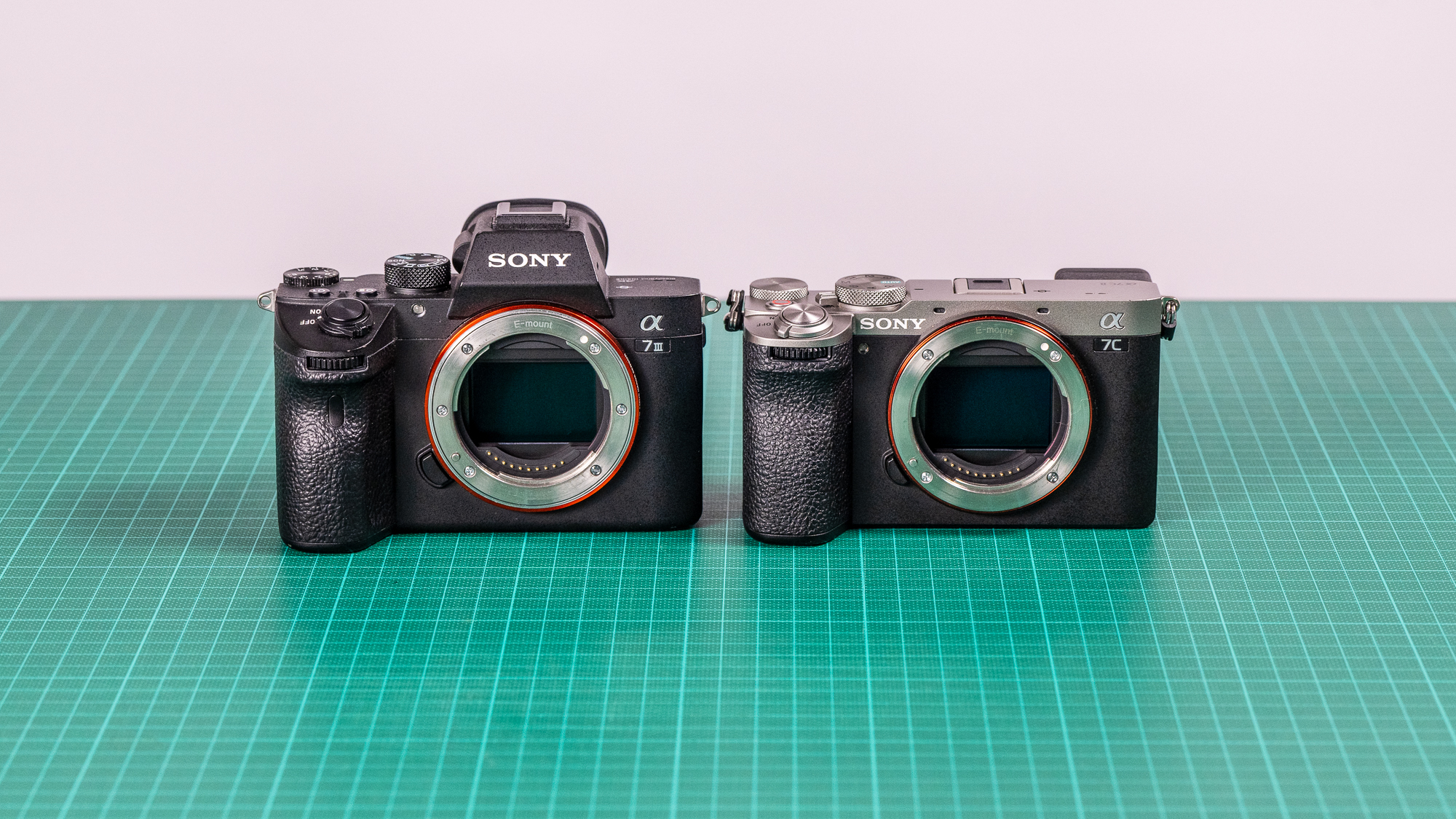
Shooting with the Sony A7C II or the dependable Sony A7 III and want to optimise your setup for stills—especially landscape, wildlife, and astrophotography? This private 1:1 online setup and mastery session is designed to help you build the perfect configuration for your photographic style.
Led by Sony Digital Imaging Advocate Jay Evans, this session focuses exclusively on the stills performance of your camera and how to get the most from its sensor, autofocus system, custom controls, and exposure tools. Whether you’re heading into the mountains, chasing wildlife, or planning your next astrophotography mission, Jay will help you craft a workflow that’s both powerful and intuitive.
With 30+ years of experience in landscape, wildlife, and astro work, Jay brings practical, real-world guidance to help you shoot with confidence in any environment.
🎯 What We Will Do
This 60-minute personalised session is built around your stills-focused goals and typically includes:
🔧 Custom setup based on your primary genre: landscape, wildlife, or astrophotography
🤖 Understanding and optimising AF performance
A7C II: Advanced AI subject recognition (humans, animals, birds)
A7 III: Real-time AF strategies for wildlife tracking
🌄 Best camera configurations for landscape shooting, including dynamic range, focus modes & exposure
🦉 Wildlife settings for fast, accurate tracking, burst optimisation & AF reliability
🕒 Drive modes, shutter choices & techniques for action or long exposure
💾 RAW workflow optimisation & colour-consistent file handling
📚 What You Will Learn
Your session is fully tailored, but commonly includes:
🎛️ Button customisation, Fn menu layout & My Menu for fast field access
📐 Exposure control for each genre
Landscape: base ISO shooting, bracketing, exposure stability
Wildlife: shutter priority, tracking AF tuning, burst settings
Astro: long exposures, manual focus magnification, high ISO optimisation
🧠 AF modes & tracking strategies for wildlife stills
🔍 Image quality setup: RAW options, creative styles, dynamic range tools
🌙 Best settings for low-light & night-sky imaging
🌲 Long-exposure & tripod techniques, including bracketing & interval shooting
💡 Colour workflow, white balance & file handling for consistent editing
💡 How to Personalise Your 1:1 Session
Before your workshop, you’ll be invited to submit your priorities or questions—whether you’re preparing for a landscape road trip, fine-tuning your wildlife action setup, or building a reliable astro workflow for Milky Way season.
This ensures the session is tailored precisely to your camera, your subjects, and your shooting style.
✅ What to Bring to the 1:1 Session
💻 A computer or laptop with webcam & microphone
📶 Microsoft Teams installed, or access via web browser
📷 Your Sony A7C II or Sony A7 III, lens, charged battery & formatted memory card
🔭 Any tripod or remote shutter you commonly use (optional but helpful)
✍️ A way to take notes
☕ A drink or snack for comfort
🚀 Book Your Personal Session Today
Get the most out of your Sony A7C II or Sony A7 III for landscape, wildlife, or astrophotography. Whether you’re refining your field craft, mastering your camera’s setup, or building a more efficient workflow, this personalised 1:1 session with Jay will help elevate your stills photography—your way.
👉 Limited sessions available — book now to secure your spot!
Techniques covered
🎛️ Button customisation, Fn menu layout & My Menu for fast field access
📐 Exposure control for each genre
Landscape: base ISO shooting, bracketing, exposure stability
Wildlife: shutter priority, tracking AF tuning, burst settings
Astro: long exposures, manual focus magnification, high ISO optimisation
🧠 AF modes & tracking strategies for wildlife stills
🔍 Image quality setup: RAW options, creative styles, dynamic range tools
🌙 Best settings for low-light & night-sky imaging
🌲 Long-exposure & tripod techniques, including bracketing & interval shooting
💡 Colour workflow, white balance & file handling for consistent editing
What to bring
💻 A computer or laptop with webcam & microphone
📶 Microsoft Teams installed, or access via web browser
📷 Your Sony A7C II or Sony A7 III, lens, charged battery & formatted memory card
🔭 Any tripod or remote shutter you commonly use (optional but helpful)
Jay Evans is a Nature, Landscape, and Astro Photographer based in the Blue Mountains of New South Wales. His work captures the raw character of Australia's wild...